Costes
Tus costes reales, los lleves como los lleves
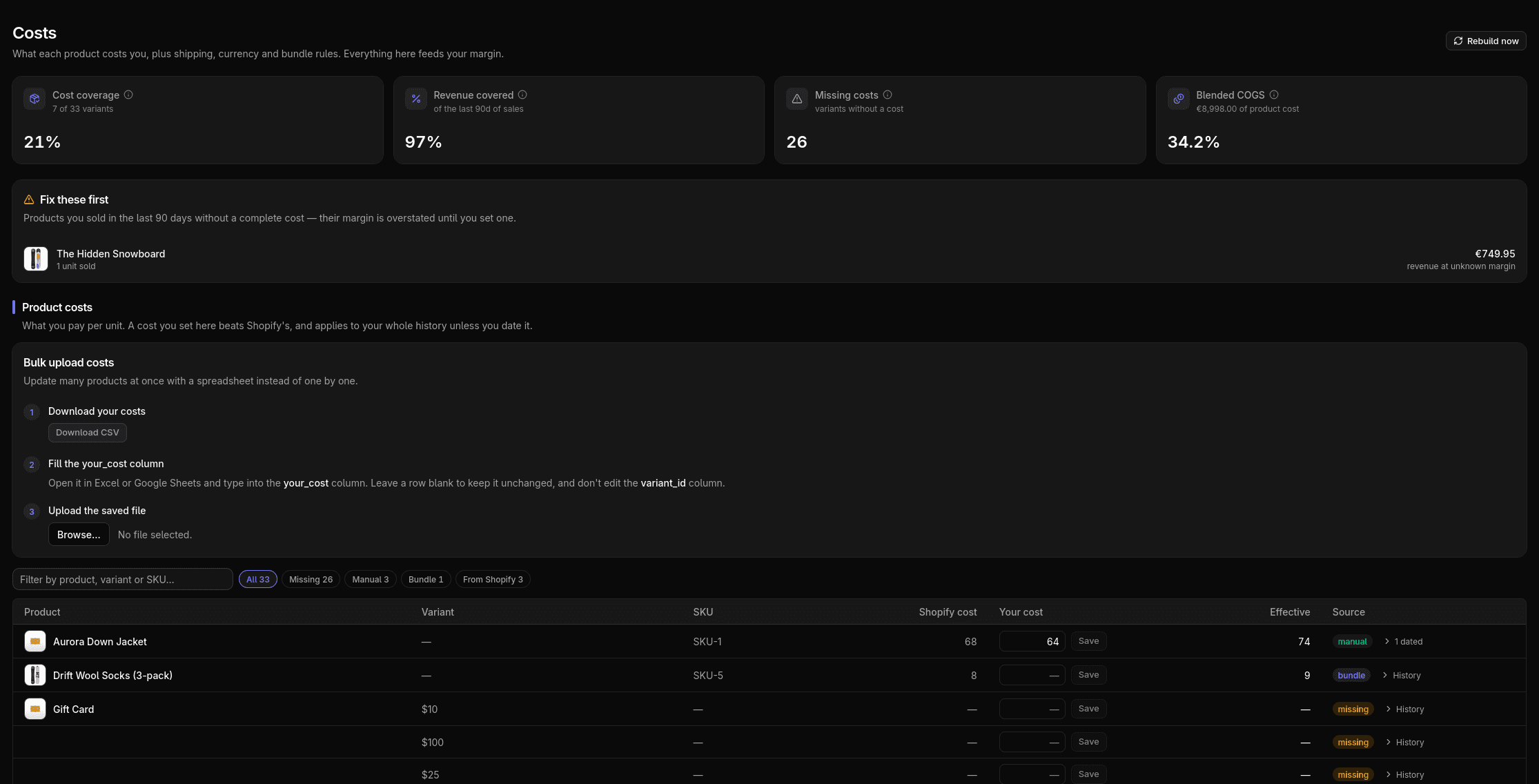
Un margen es tan honesto como los costes que lo sostienen. Trae el coste por artículo de Shopify, ajusta cualquier variante a mano o sube un CSV, y mira siempre lo que falta.
Cómo funciona
Por defecto leemos el coste por artículo de Shopify de cada variante, así que si está puesto, tus márgenes salen desde el primer día.
Corrige cualquier coste ajustando la variante en su sitio, o sube un CSV para cientos de SKUs de golpe. Los packs se suman desde sus componentes, y los costes en otra moneda se convierten con el cambio que fijes.
La cobertura se vigila todo el tiempo, así que ves exactamente qué variantes siguen sin coste detrás.
Qué vas a ver
- La cobertura de un vistazo: qué variantes tienen coste y cuáles no
- Ediciones en línea, un CSV en bloque que casa por variante, más divisas y costes de pack
- Un coste de envío por pedido, fijo o por método de entrega, que alimenta el margen
A tener en cuenta
Editar un coste en Shopify no cambia la fecha de actualización del producto, así que la sincronización normal no lo ve. Margeny vuelve a leer todos los costes una vez al día para reconciliar, y tus ajustes manuales siempre ganan a lo que diga Shopify.
Más funciones
Conoce tu beneficio real esta semana
Conecta tu tienda en minutos. 14 días gratis, sin tarjeta.